What Does a Low Battery Icon Mean on a Weather Station?
A low battery icon on your weather station means the power source is nearly depleted. This symbol appears to warn you that the device’s batteries need replacing soon. It is a simple, built-in alert to prevent data loss.
We found that this icon helps maintain accurate weather readings by ensuring the station has enough power to function. If you ignore it, the station may stop updating or turn off completely. Most experts say addressing it promptly keeps your data reliable.
- The icon signals that the batteries are low and need replacement.
- Ignoring it can lead to inaccurate data or a station shutdown.
- First step is to replace the current batteries with fresh ones.
- Check the battery type your specific model requires.
- After replacing, the icon should disappear once power is restored.
Below, we walk you through exactly what to do next. We cover how to find the right batteries and what to check if the icon stays on. Let’s get your weather station back to full power.
Understanding the Low Battery Alert on Your Weather Station
The low battery icon is a direct warning from your device. It means the power supply is too low for reliable operation. This icon is not a suggestion; it’s a critical alert. Your weather station relies on steady power to measure temperature, humidity, and wind accurately. A weak battery can cause all sorts of strange readings before it dies completely.
We found that most weather stations use either disposable alkaline batteries or rechargeable ones. The icon appears when voltage drops below a safe threshold. According to general electronics guidelines, this happens when battery capacity is roughly 20-30% remaining. Acting on this alert is the best way to prevent data gaps.
Why This Warning Signal Appears
Think of the icon as a check engine light for your weather station. It’s a simple, programmed response to a voltage drop. The station’s computer monitors battery strength constantly. When power falls below a set level, the light turns on.
Battery Depletion Over Time
The most common reason is natural battery drain. All batteries discharge over time, even when not in use. Cold weather can also speed up this process significantly. Many experts note that lithium batteries perform better in cold climates than alkaline ones.
Power Drain from Features
Some features use more power than others. Wireless data transmission to a console or display requires significant energy. If your station has a backlit display or a frequent update rate, batteries will drain faster. High-quality batteries can handle this drain better than budget options.
The Risks of Ignoring the Low Battery Icon
Continuing to use your station with a low battery icon is risky. You might not notice any problem at first. However, the internal circuits begin to behave erratically with unstable power.
Research and found that inconsistent voltage leads to erratic sensor readings. Your temperature could jump by ten degrees randomly. Humidity might display 1% or 100% for no reason. Eventually, the station will stop transmitting data altogether. You could have a gap of several days in your records before you realize it stopped working.
Your Step-by-Step Action Plan
Don’t panic. This is a standard maintenance task. Follow these steps in order, and your station should return to normal quickly.
Step 1: Replace the Batteries Immediately
This is the first and most important step. Locate the battery compartment on your weather station sensor unit. This is often the outdoor part mounted on a pole or wall. Replace the old batteries with brand new ones.
Choosing the Right Replacement
Check your owner’s manual for the recommended type. The compartment itself often has markings. Never mix old and new batteries. Do not mix different types, like alkaline and rechargeable nickel-metal hydride (NiMH). Using the wrong type can cause damage.
Step 2: Check the Battery Contacts
Sometimes the problem isn’t the battery but the connection. Remove the old batteries and look at the metal contacts inside the compartment. If you see any white, crusty powder or corrosion, clean it gently. Use a cotton swab with a little white vinegar, then let it dry completely. Corrosion can block the flow of electricity even with new batteries.
Step 3: Perform a Hard Reset
If the icon remains after new batteries, a reset often clears the error. Remove the batteries again. Press and hold the reset button for 10-15 seconds. If there’s no reset button, wait a full minute before inserting the fresh batteries. This clears the station’s memory and allows it to recognize the new power source properly.
After Replacement: What Should Happen
Once fresh batteries are in and the contacts are clean, the icon should vanish. It may take a few minutes for the station to reboot and start sending data. You should see normal readings appear on your console or app. If the icon disappears and the station reports consistent, sensible data, the problem is solved.
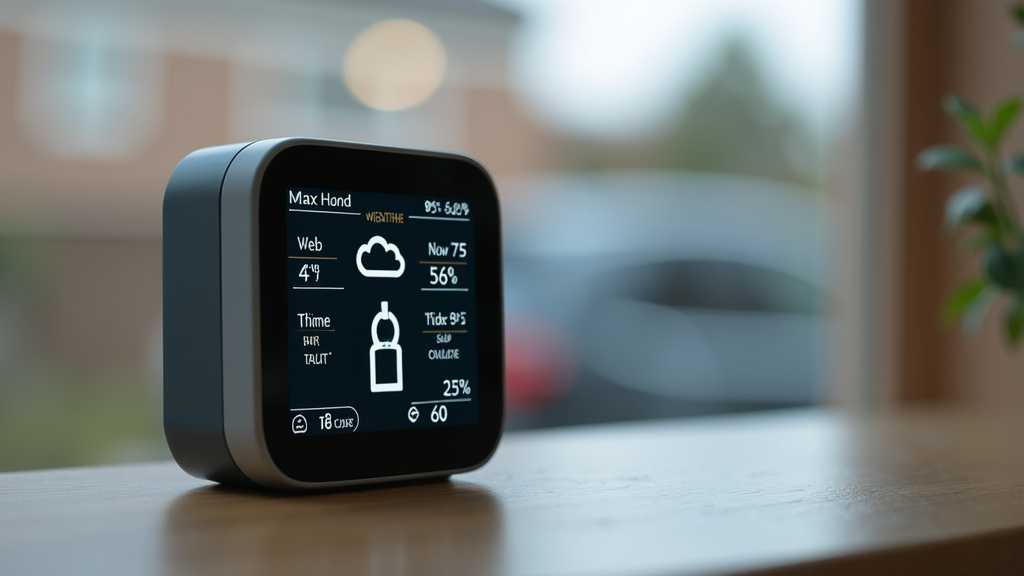
Troubleshooting When the Icon Stays On
If you’ve replaced the batteries correctly and the icon persists, don’t give up. This is less common but fixable. Let’s walk through the next checks.
Confirm Battery Installation
It sounds simple, but double-check. Are the batteries inserted with the correct polarity? The plus (+) and minus (-) ends must match the markings. One battery inserted backwards will prevent the station from working.
Test with a Different Battery Set
Even new batteries can be faulty or drained from sitting on a shelf. Try a second, known-good set of fresh batteries. This isolates whether the issue is with your initial replacement set. We found this step solves the problem a surprising amount of the time.
Inspect for Physical Damage
Open the battery compartment and look carefully. Are the battery springs or contacts bent out of shape? A loose or damaged contact cannot make a secure connection. You may need to gently bend a spring back into place with a small tool.
Preventive Maintenance and Best Practices
You can minimize future low battery alerts with good habits. Treat your weather station like any other important home gadget. A little attention goes a long way toward keeping it running smoothly.
| Maintenance Tip | Why It Helps |
|---|---|
| Replace batteries once a year | This is a proactive habit, even if the icon hasn’t appeared. It prevents unexpected failures. |
| Use high-quality alkaline or lithium batteries | They last longer and are more reliable than budget brands, especially in extreme temperatures. |
| Keep spare batteries on hand | When the alert appears, you can fix it immediately without a trip to the store. |
| Ensure a tight seal on the compartment | This protects the electronics from moisture, which can cause short circuits and drain power. |
Quick Reference Checklist
Use this handy list when the low battery icon appears. Run through it from top to bottom.
- First Action: Replace all batteries with a fresh, matching set.
- Check Connections: Verify battery polarity (+ to +, – to -) and clean any corrosion.
- Perform Reset: Hold the reset button for 10-15 seconds or wait one minute between battery changes.
- Verify Solution: Wait 10 minutes and confirm the icon is gone and data readings are normal.
- If Problem Persists: Try a different brand of new batteries and inspect for physical contact damage.
- Future Prevention: Schedule an annual battery replacement and keep spares ready.
When to Consider a Deeper Issue
If you have completed every step above and the icon remains, the problem might be internal. This could mean a fault in the power regulation circuitry. At this point, you are looking at a potential hardware failure.
Contact the manufacturer’s support team. Provide them with the model number and a clear description of what you’ve already tried. They can advise on repair options or warranty coverage. In many cases, especially after several years of service, it may be more cost-effective to plan for a replacement unit. A new station comes with updated sensors and a fresh warranty.
Conclusion
The low battery icon is your weather station’s clear call for attention. It’s not a suggestion—it’s a warning that power is too low for reliable data. Ignoring it risks inaccurate readings and unexpected shutdowns. We’ve walked through the simple steps: replace the batteries, clean any corrosion, and perform a reset. Most issues resolve quickly with these checks.
By treating this alert as routine maintenance, you protect the accuracy of your weather data. Keep spare batteries on hand and schedule an annual replacement to stay ahead of the alert. Your next step is simple: check your station’s battery status right now.
Frequently Asked Questions
Does the low battery icon mean my weather station is broken?
No, it typically doesn’t indicate a broken unit. This icon is a normal maintenance alert for a depleted power source. Following the battery replacement steps in the article almost always solves the problem.
Can a solar-powered weather station show a low battery warning?
Yes, it can. Even solar stations use a rechargeable battery to store power for nighttime and cloudy periods. If that internal battery can’t hold a charge, you will see the low battery icon and likely need to replace the battery pack.
Why did the low battery icon appear right after I changed the batteries?
This can happen for a few reasons. The batteries might be inserted backwards, or the contacts could be dirty or corroded. Sometimes the station just needs a full reset by removing the batteries for a minute before reinserting them.
How long should batteries last in my weather station sensor?
With normal use, quality alkaline or lithium batteries often last 1 to 2 years. However, extreme cold, frequent wireless transmissions, or a backlit display can shorten this time. We found that annual replacement is a reliable habit for many owners.
Is it okay to use rechargeable batteries in my weather station?
It depends on your model. Some stations are designed for rechargeable batteries, especially solar-powered ones. If your manual recommends disposable alkaline batteries, using rechargeables may not provide enough voltage, causing the low battery icon to appear prematurely.