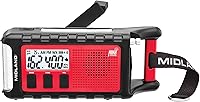
Midland WR400 Weather Radio Review: Worth It? (November 2026)
The Midland WR400 suits home users who want county-based alerts, an alarm clock and battery backup in one radio. Its four AA backup batteries are not included, and portable crank power is available only on the ER310 alternatives.
On this page (7 sections)
- Midland WR400 weather radio review: who is it for?
- What alerts and county controls does the WR400 offer?
- How does the WR400 handle power outages?
- Are the WR400 controls easy to use at home?
- WR400 vs WR300 and other Midland home radios
- What should you check before choosing the WR400?
- Is the Midland WR400 worth choosing?
The Midland WR400 is a home weather radio for county-based alerts, configurable warning styles and backup power. It also works as an alarm clock and AM/FM radio, making it a fit for a bedroom or shared household space where alerts should be easy to hear and see.
Its main trade-off is that it depends on an outlet for routine power, with four AA batteries sold separately for backup. If you want a radio designed around hand crank or solar charging, consider one of the portable ER310 models instead.
Compare battery powered and hand crank radios.
Midland WR400 weather radio review: who is it for?
The WR400 fits households that want a stationary alert radio with county programming and clock functions. Its S.A.M.E. system supports up to 25 counties, and its warning system offers siren, voice and visual LED alert options.
Midland WR400 Weather Radio: Best for home alert controls

- S.A.M.E. programming for up to 25 counties
- 80 emergency alert types
- Four AA battery backup
A home focused weather radio with county programming, several alert styles, clock and AM/FM functions. Choose it when you want a dedicated alert unit with battery backup.
Pros
- Scans 10 weather band channels
- Offers siren, voice and visual alert options
- Includes clock, alarm and snooze
- USB output can charge devices
Cons
- Four AA backup batteries are sold separately
- Corded power is the primary listed source
- Home focused design is less suited to crank powered portability
The radio scans 10 available weather band channels and locks onto the strongest weather channel. It can also broadcast AMBER alerts and switch from AM/FM mode to relevant all-hazard alerts.
That combination favors a home setup over a grab-and-go emergency kit. The four AA backup batteries can keep it operating during a power outage, but they are not included.
What alerts and county controls does the WR400 offer?
The WR400 lets you choose how alerts reach you and which counties to monitor. You can program up to 25 counties and select from 80 emergency alert types.
The alert choices include an 85 dB siren, voice alerts and a visual LED flasher. These options can help households adapt the radio to a bedroom, living area or a space where someone may not hear a tone.
S.A.M.E. programming is useful when you want alerts for a specific county or several nearby areas. Set up the locations carefully and keep them current if you move or change where you use the radio.
A NOAA weather band radio guide explains how weather radio alerts work and what features to compare before choosing a model.
How does the WR400 handle power outages?
The WR400 offers four AA battery backup, but you need to buy the batteries separately. Its primary listed power source is corded electric, so use an outlet for normal operation and install backup cells if outage operation is important.
The radio also has a USB output for charging devices. Charging speed isn't specified, so treat it as a useful extra rather than a replacement for a dedicated power bank.
If your emergency plan centers on renewable or manual power, the ER310PRO has solar and hand crank charging. Read our Midland ER310PRO review for a closer look.
The standard ER310 is also a hand crank model, with a built-in flashlight.
For a broader comparison of portable models, see our guide to the best hand crank radio for emergency use. If you already own an ER310, this Midland ER310 battery replacement guide covers that model's battery question.
Are the WR400 controls easy to use at home?
The WR400 combines alert controls with everyday radio and clock functions. Its built-in clock includes an alarm and snooze button, and you can wake to local weather, AM/FM radio or a buzzer.
That makes it more than a warning-only device for a bedside table. The LCD display, clock and snooze function support daily use, while automatic switching from AM/FM to relevant alerts helps keep warnings available when you are listening to another mode.
Before relying on it overnight, choose alert settings that are noticeable but workable for your household. Place the radio where the visual flasher is visible and the speaker can be heard from the rooms where people sleep.
WR400 vs WR300 and other Midland home radios
The WR400 makes sense when you want county programming, multiple alert styles and clock features in a home unit. For a direct model comparison, read Midland WR300 vs WR400, which focuses on the differences between those two radios.
The WR120 and WR120B are another comparison worth checking if you're considering a simpler Midland alert radio. Our Midland WR120 vs WR120B comparison helps narrow that choice.
For more options beyond Midland, browse our guide to the best NOAA weather radio for home. It can help you compare the WR400's home-centered feature set with other radios for a fixed location.
What should you check before choosing the WR400?
Check outlet access, backup batteries and county setup before settling on the WR400. Those practical details determine whether its home-focused design fits your emergency plan.
- Confirm there's a suitable outlet near the planned location.
- Buy four AA batteries if you want backup power during an outage.
- Program only the counties relevant to your needs.
- Pick alert modes that suit the room and the people who will hear them.
- Consider a hand crank model if you need a portable radio for use away from an outlet.
The WR400 includes a USB output, but charging speed isn't specified. Keep a separate charged power bank for devices that need dependable backup charging.
Is the Midland WR400 worth choosing?
The Midland WR400 is a strong fit for home users who value county selection, several alert styles and an alarm clock. Its four AA backup batteries add outage support, while its corded setup and compact home functions make it less suited to a portable, off-grid role.
Pick the WR400 if you want a home alert radio that can also serve as a clock and AM/FM unit. Pick the ER310 or ER310PRO if hand crank charging matters more, with solar charging available on the ER310PRO.
Frequently asked questions
Does the Midland WR400 need batteries?
The WR400 can use four AA batteries for emergency backup, but those batteries are not included. It also has corded electric power, so place it where the adapter can reach an outlet and keep the backup cells available if you want the radio to continue operating during an outage.
Can the Midland WR400 alert more than one county?
Yes. The WR400 supports S.A.M.E. programming for up to 25 counties and offers 80 different emergency alert types.
Program the counties relevant to your home or travel area, then review the alert settings so the radio responds the way you expect.
Does the WR400 work as an alarm clock?
Yes. The WR400 has a built-in clock, alarm and snooze button, with wake options that include local weather, AM/FM radio or a buzzer.
It can also switch from AM/FM mode to relevant all-hazard alerts.
Should I choose the WR400 or a Midland ER310?
Choose the WR400 for home use with county programming, multiple alert styles, a clock and AA backup. Choose an ER310 model if hand crank power matters more; the ER310PRO also lists solar charging and Bluetooth.
Compare the WR300 and WR400 if you're deciding between Midland's home radios.