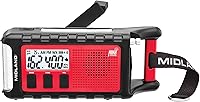
NOAA Weather Radios: The Complete Buying Guide
A NOAA weather band radio receives local weather broadcasts and can alert you to hazards. Choose a home receiver for automatic alerts, or a portable model when you need flexible power and light.
On this page (12 sections)
- What does a NOAA weather band radio do?
- Which types of NOAA weather radios can you buy?
- What is the difference between NOAA alerts and SAME alerts?
- Which alert features are worth checking?
- Which power options should you compare?
- Which receiver fits these common buying needs?
- How do these four example radios differ?
- What should you check before buying?
- How should you set up a NOAA weather band radio?
- What common weather radio mistakes should you avoid?
- How should you care for and use the radio over time?
- What is the best NOAA weather radio for your needs?
A NOAA weather band radio receives National Weather Service broadcasts, and alert-enabled models can warn you about supported hazards. Choose a home receiver for automatic alerts and local filtering, or a portable emergency radio when flexible power and light matter.
A receiver is useful when it reaches a local broadcast, stays powered and alerts you in a way you will notice. Compare reception, alert controls, power options and placement before deciding.
This guide explains receiver types and features, then compares four examples. For focused choices, see our best NOAA weather radio for home guide.
What does a NOAA weather band radio do?
A NOAA weather band radio receives weather information broadcast over designated weather channels. An alert receiver can also monitor broadcasts and warn you when it receives a supported alert, so you do not have to listen continuously.
Weather radio broadcasts carry watches, warnings and other emergency information. The alert types a receiver can recognize depend on its features and programming.
NOAA Weather Radio is one way to receive hazard information, but it should not be your only source during an emergency.
A radio needs a signal to receive a broadcast. Before buying, check local coverage and choose a place where the antenna can receive clearly.
A model that scans available channels or locks onto a strong signal can make setup easier, but reception still depends on your area and placement.
For official information about broadcasts and coverage, consult the National Weather Service NOAA Weather Radio page.
How is a weather band radio different from a scanner?
A weather band receiver focuses on weather broadcasts, while a scanner can tune to a wider range of radio services, depending on the model. Choose a dedicated alert receiver if automatic local weather warnings are your priority.
A scanner may suit listeners who want broader monitoring, but check that it supports the weather alert functions you need.
A scanner is not automatically a better alert radio. Some scanners may not offer the same standby behavior or simple county alert setup as a dedicated receiver.
Compare our best weather radio scanner guide if you want to explore scanning options.
Which types of NOAA weather radios can you buy?
Choose the receiver type by where you will use it and how you want to be alerted. Home alert monitors suit fixed locations, while portable emergency radios suit outages and travel.
| Receiver type | Useful when | Check before buying |
|---|---|---|
| Home alert monitor | You want a radio to remain in one room and warn you automatically | Local channel reception, alert controls and backup power |
| Portable emergency radio | You may need radio access away from a wall outlet | Battery type, charging options, lights and how alerts work |
| Scanner | You want to monitor more than weather broadcasts | Supported bands, alert mode and ease of programming |
| Clock radio with weather alerts | You want alerts and clock functions in one device | Whether it stays alert-ready while using other modes |
A product name alone does not tell you how a radio behaves during an alert. Check whether it scans or monitors weather channels, how it signals a warning and whether you must set a county code.
Should you choose a home alert monitor?
Choose a home alert monitor if you want a receiver in a regular listening area, such as a bedroom, kitchen or office. Look for local reception, useful alert controls and backup power that matches your outage plan.
A home monitor can stay connected to household power and remain ready to alert. Some also include a clock, AM/FM radio, display lights or a USB output.
Those extras help only if they fit your routine and do not make setup harder.
For a desk or shared workplace, see our guide to the best weather radio for office use. If you want a clock built into the radio, compare the best weather radio alarm clock options.
When is a portable emergency radio a better fit?
Choose a portable emergency radio when you want broadcast access and other emergency tools in a unit that can move with you. Hand-crank and solar charging add power options, but they do not replace a plan for keeping the radio ready.
Portable models may combine NOAA reception with AM/FM radio, lights, an SOS alarm or a power bank. Check which functions the specific radio includes, how it gets power and what batteries it requires.
A portable radio can be useful at home during an outage, in a vehicle kit or on a trip. For models focused on movement and compact storage, see our best portable NOAA weather radios guide.
What is the difference between NOAA alerts and SAME alerts?
NOAA alerts deliver warnings over weather broadcasts, while SAME lets a compatible radio filter supported alerts by geographic code. SAME helps when you want alerts for selected counties rather than every location the radio can receive.
SAME stands for Specific Area Message Encoding. Depending on the radio, you may program a county or multiple counties.
A radio may also let you receive alerts from a wider area, so check its settings before choosing.
Alert filtering can reduce warnings that are not relevant to your location. Identify your county code and follow the receiver's programming steps.
See our best weather radios with SAME alerts guide for models focused on geographic filtering.
A receiver's alert menu may include more than severe weather. The examples below include support for multiple emergency alert types, and the WR400 also describes AMBER alerts.
Review the types the radio supports and decide which are useful for your household.
How many counties should you program?
Program only the areas you need to monitor, such as your home county and a nearby place where family members live. More county codes can widen coverage, but they can also bring alerts that do not affect you.
Some radios allow programming for multiple counties. That can help when you travel between places or have a specific reason to monitor nearby areas.
Keep track of which area each code represents and what alerts the receiver will signal.
If more than one person will use the device, write down the chosen locations and keep the instructions nearby. That makes it easier to review the setup later.
Which alert features are worth checking?
Choose alert features based on how you need to notice a warning. A clear sound, readable visual signal and useful filtering matter more than a long feature list.
Check these details in the radio's controls and setup instructions:
- Alert behavior: Does it scan or remain in standby, and will it sound automatically?
- Alert choices: Can you choose a siren, voice alert, visual indicator or another available signal?
- Geographic filtering: Can you enter a county code or select multiple locations?
- Alert types: Which weather and other emergency messages can the radio recognize?
- Power recovery: What happens when household power returns after an outage?
- Display: Can you read the screen from where you plan to place the radio?
A receiver that uses sound may not be enough for someone who cannot hear it from another room or while asleep. Consider visual alerts or another signal that suits the listener.
Our guide explains how to choose a weather radio strobe light, and our advice for choosing a weather radio for deaf users covers alert access in more detail.
A weather alert radio can tell you when it receives a supported alert, but it cannot ensure you will see or hear every warning. Keep other trusted ways to receive emergency information available, and follow instructions from local officials.
How does a radio warn you about a tornado?
A weather radio can warn you about a tornado when it receives a relevant alert and is set to signal for it. The alert may come as a siren, voice message or visual cue, depending on the receiver's features and settings.
Keep the receiver where you are likely to notice it, and use county settings that include your location. A radio warning is a prompt to pay attention to official instructions.
It does not predict a tornado or show conditions at your home.
For a closer explanation of alert behavior, read how a NOAA weather radio warns you about tornadoes. You can also review our how to program a NOAA weather radio guide for setup steps.
Which power options should you compare?
Choose power options that match where you will use the radio. A home receiver with battery backup can keep operating during some outages, while a portable model may use replaceable batteries, solar charging or a hand crank.
Many home alert monitors use an AC adapter for everyday power. Some also accept batteries for backup.
Check which battery size and quantity the radio needs, whether batteries are included and whether its alert functions work on backup power.
Portable radios can offer several ways to replenish power. For example, the FosPower A1 uses solar, a hand crank and AAA battery power.
It includes a 7400mWh (2000mAh) power bank, a 1W flashlight, a 4 LED reading light and an SOS alarm.
Plan how you would recharge a phone or use the lights, since those uses affect how you keep the radio powered.
If outage readiness is your main concern, compare the best weather radios with battery backup. For a broader emergency kit, see our best emergency weather radios guide.
Are solar and hand-crank radios enough for an outage?
Solar and hand-crank charging add options when you cannot use a wall outlet. They are most useful as part of a power plan that accounts for batteries, charging time and the radio's core alert function.
A solar panel depends on useful light, and a hand crank requires you to recharge the radio manually. A portable model may also have a power bank or lights, which can be useful but draw on available energy.
Decide which functions you need during an outage before you buy. If weather alerts are the priority, confirm the receiver's alert behavior and reception first, then consider extra charging and lighting features.
Which receiver fits these common buying needs?
The right radio depends on whether you need home monitoring, a backup receiver or a portable emergency kit. Start with one priority, then check the other features that affect your use.
| Your priority | Features to look for |
|---|---|
| Automatic home alerts | Standby monitoring, a clear alert signal and local reception |
| Alerts for selected places | SAME programming and enough county settings for your needs |
| Backup power at home | AC power plus a stated battery option and the right spare batteries |
| Portable emergency use | Movable design, battery choices and any needed lights or charging |
| Office use | A visible display, alert settings and placement near people who need warnings |
| Accessible notifications | Visual alert choices and a signal that fits the user's needs |
A compact home monitor can be a better match than a portable radio if it will remain plugged in near the people who need to hear it. A portable model can make more sense if you plan to keep it in a vehicle or carry it outside.
For manufacturer comparisons, browse our best NOAA weather radio Midland guide, best Eton weather alert radio guide and best emergency radio Midland roundup.
How do these four example radios differ?
These examples cover three home alert monitors and one portable emergency radio. Compare them by receiver role, alert controls and power plan.
Midland WR400: flexible home alert choices
The Midland WR400 adds AM/FM radio, a clock and several alert options. Its features include an 85 dB siren, voice alerts, a visual LED flasher and battery backup with four AA batteries.
It can be programmed for up to 25 counties and is described as supporting 80 emergency alerts. It also includes a USB output for charging devices.
Choose the WR400 if you want more alert signal choices and a built-in AM/FM radio. Compare the Midland WR400 weather radio review and our Midland WR300 vs WR400 comparison before deciding.
Midland WR120: compact home monitoring
The Midland WR120 is a home alert monitor with a clock and alarm. Its features include NOAA channel scanning, an alert alarm, SAME programming and a trilingual display.
The radio can be programmed for up to 25 counties. It uses an AC adapter and requires 3 AA batteries.
Choose this model if you want a home receiver with local filtering and a built-in clock. For a closer look at its sibling model, read Midland WR120 vs WR120B.
FosPower NOAA Emergency Weather Radio A1 7400mWh: portable emergency power and light
The FosPower NOAA Emergency Weather Radio A1 7400mWh is a portable model with NOAA, AM and FM broadcast access. Its power options include solar, a hand crank and AAA batteries, and it has a 7400mWh (2000mAh) power bank, a 4 LED reading light, a 1W flashlight and an SOS alarm.
This radio suits a buyer who wants several emergency functions in one portable device. Check its size, battery setup and charging needs against the place you plan to store it.
Choose it when portable power and lighting matter alongside weather broadcasts. If you want a home monitor instead, compare its role with the best digital NOAA weather radios.
Midland WR120B: local programming and indicators
The Midland WR120B provides SAME localized programming and alert notifications. Its features include programming for up to 25 counties, color-coded alert indicators and a continuous backlighting option.
It is AC-powered and requires 6 AAA batteries.
Choose it if you want local programming and visual alert indicators in a home receiver. For other models aimed at household use, see the best NOAA weather radio for home guide.
What should you check before buying?
Check local reception, alert behavior and backup power before you choose a NOAA weather radio. A model is a good fit only when its controls and alert signals work for the people and places that need it.
Use this checklist:
- Confirm local broadcast coverage. Find the weather channel that serves your area and plan to place the radio where reception is clear.
- Choose the alert style. Decide whether a siren, voice message, visual light or a combination will get your attention.
- Check location settings. See whether SAME is supported and how many counties you can program.
- Review power needs. Match the adapter, batteries, solar charging or crank to your outage plan.
- Consider daily use. A clock, alarm, AM/FM radio or USB output may be useful if you will use it.
- Plan accessible placement. Put the radio where the intended listener can hear or see its alert.
- Read setup directions. Learn how to set the time, select alerts and check the receiver before relying on it.
A receiver may need a specific county code, time setting or alert mode to work as intended. Keep its manual and battery information accessible so you can review the setup.
How should you set up a NOAA weather band radio?
Set up the radio by choosing its location, confirming reception and programming the alerts you need. Check the controls using the instructions, then make sure backup power is ready.
Start near an outlet if the radio uses an AC adapter. Place it where the antenna can receive a signal and where its sound or visual alert can reach the people who need it.
Then tune or scan for the local weather broadcast, enter SAME codes if available, and review the alert types and notification mode. If you use backup batteries, install the correct type and note when you will check or replace them.
Do not assume the radio is ready just because its screen is on. Review the model's instructions for its alert check procedure.
Follow our step-by-step guide on how to program a NOAA weather radio.
What common weather radio mistakes should you avoid?
The most common setup mistakes are choosing a poor location, programming the wrong area and assuming backup power is ready. A short check of signal, settings and batteries can catch these problems before severe weather arrives.
Avoid these errors:
- Putting the radio where reception is weak: Move it and check the signal before settling on a permanent spot.
- Entering the wrong county code: Verify the code and confirm the radio's programmed locations.
- Adding too many counties: Extra areas can bring alerts that do not apply to you.
- Leaving backup batteries out: Install the required type and check them on a regular schedule.
- Assuming every alert option is active: Review notification mode and alert categories in the instructions.
- Storing a portable radio without a power check: Keep its charging options accessible and confirm you can operate them.
- Relying on one warning channel: Keep other trusted ways to receive emergency information available.
A radio that is hidden in a cabinet or placed too far away may not be heard or seen. Put it where the people who need alerts can notice it, and revisit the location if room use changes.
How should you care for and use the radio over time?
Keep the receiver accessible, powered and correctly programmed. Check its batteries, reception and alert settings periodically, especially after moving it or changing its power source.
Dust the exterior with a dry or lightly damp cloth, and keep openings clear. Follow the specific care instructions for the model, and avoid exposing a home receiver to moisture or heat.
For battery-powered backup, use the specified battery type and replace depleted or leaking batteries promptly. Keep spare batteries near the radio if they are part of your outage plan.
For a portable crank or solar model, store it where you can reach its charging features and lights. Familiarize yourself with the controls before an emergency, rather than waiting until you need to use them.
What is the best NOAA weather radio for your needs?
The best NOAA weather band radio is the one that receives your local broadcast, alerts you in a way you can notice and stays powered when you need it. Pick a home alert monitor for automatic local warnings, or a portable emergency radio when flexible power and light are central to your plan.
Choose the Midland WR400 if you want its siren, voice and visual alert choices, AM/FM radio and battery backup. The WR120 and WR120B offer SAME programming for local alerts.
Choose the FosPower NOAA Emergency Weather Radio A1 7400mWh if portability, crank and solar charging, lights and an SOS alarm fit your emergency kit.
Before you buy, confirm broadcast reception where the radio will sit, review its alert setup and match its batteries to your outage plan. For a final comparison of home options, return to our best NOAA weather radio for home guide.
Frequently asked questions
What is a NOAA weather band radio?
A NOAA weather band radio receives weather broadcasts from the National Weather Service. Depending on its design, it may scan for a local channel, stay in alert mode and sound or display a warning when it receives a supported message.
Confirm local reception and alert features before relying on a specific model.
Do NOAA weather radios turn on automatically?
Some alert receivers stay in standby and sound an alarm when they receive a programmed alert, while basic radios may need you to tune in and listen. Read how a model handles standby, alert override and power loss, then follow its setup instructions.
What does SAME mean on a weather radio?
SAME means Specific Area Message Encoding. It lets a compatible radio filter alerts by geographic code, such as a county, so you can limit alerts to places you choose.
Find and enter the correct code for your location.
Will a NOAA weather radio work during a power outage?
It can work during an outage if the receiver has a usable backup power source and its batteries are installed or charged. A wall-powered model without backup may stop receiving alerts when power fails, so check battery requirements and keep spares if needed.
Is a crank emergency radio the same as an alert receiver?
Not always. A crank radio may provide portable NOAA broadcast access, lights and a way to replenish power, while a home alert receiver may be designed to stay in standby and sound automatic alerts.
Check for the alert behavior and location filtering you need.